
Keynote for Windows: Can You Use, Open, or Convert Keynote Files on a PC?
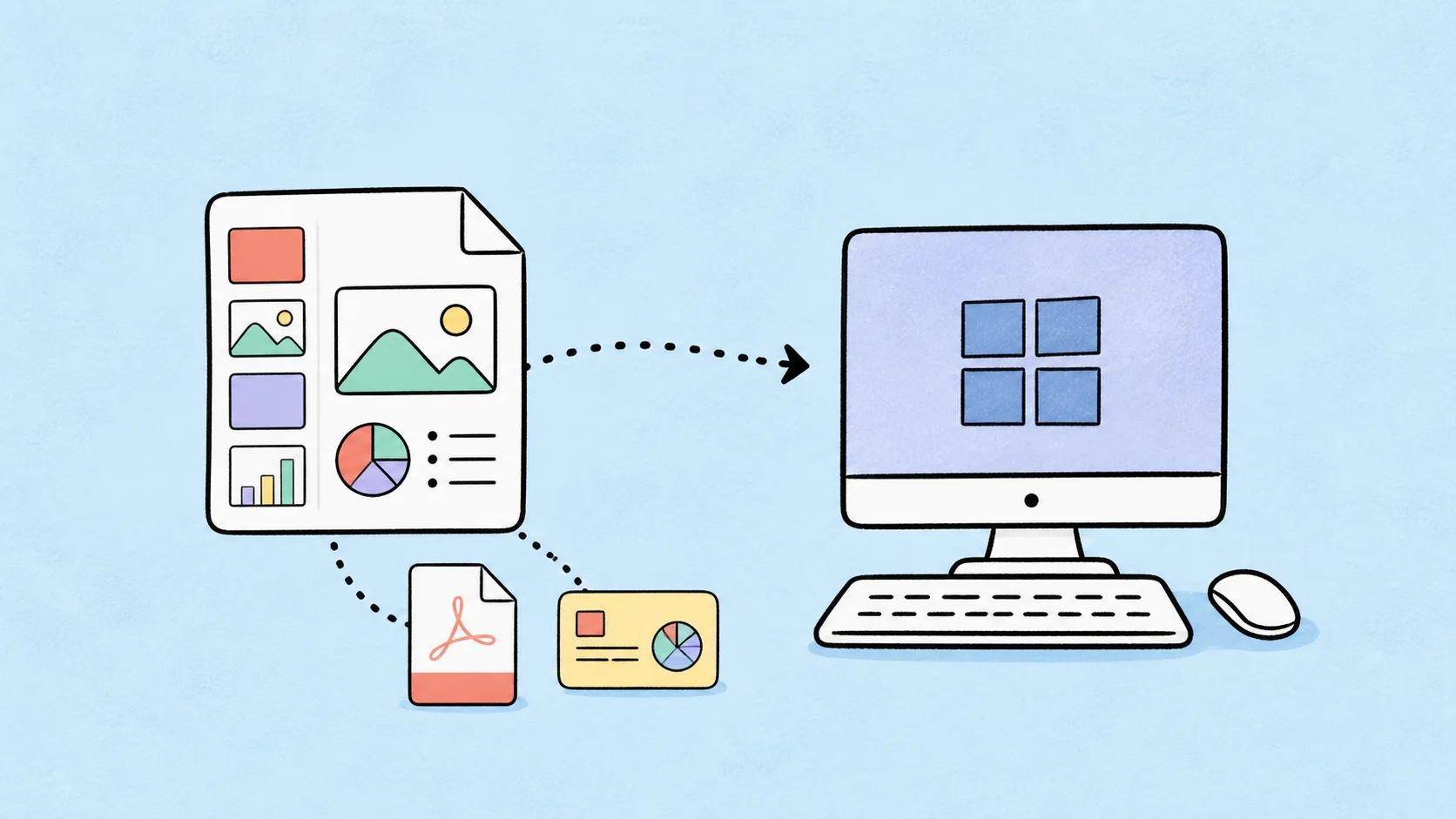
If you are searching for Keynote for Windows, you probably have a .key presentation but no Mac available to open it. You may need to review a client deck, edit a presentation on a PC, convert slides for a meeting, or translate the file into another language.
The short answer is that Apple does not offer a native Keynote desktop app for Windows. However, Windows users still have several practical options: open the presentation in Keynote for iCloud, ask the sender for a PDF or PowerPoint export, or convert the .key file based on what you need to do.
This guide explains how to use Keynote presentations on Windows, what each option can and cannot preserve, and how to choose the right workflow for viewing, editing, sharing, translating, or presenting a .key file on a PC.
Quick Answer: Is There a Keynote App for Windows?
There is no native Apple Keynote desktop application for Windows. You cannot install the Mac version of Keynote directly on a Windows PC, and Microsoft PowerPoint does not reliably open native .key files without conversion.
The main options are:
- Use Keynote for iCloud in a supported web browser when you need to open or lightly edit the original file.
- Convert the
.keyfile to PDF when you only need to view, share, print, upload, or archive the slides. - Export the file to PowerPoint when a Windows user needs editable slides.
- Ask the sender for a PDF or
.pptxcopy when the original file is difficult to access. - Use a presentation workflow such as DeckFlow when you need to translate or refresh the deck while keeping its visual structure.
The best option depends on your goal. Windows users do not need a full Keynote replacement for every situation. They need the right way to access the presentation they have.
What Is a .key File?
A .key file is the native presentation format created by Apple Keynote. It is similar in purpose to a .pptx PowerPoint file, but it is designed for Keynote and may contain Apple-specific themes, layouts, animations, transitions, charts, speaker notes, fonts, images, and videos.
That extra presentation structure is important. A Keynote deck is not simply a group of images with text placed on top. Individual slide elements may remain editable, and the file may rely on master slides, fonts, media, and animation settings that do not transfer perfectly to other applications.
For a broader explanation, read What Is a .key File? Keynote File Format Explained for Windows and Mac Users.
Option 1: Use Keynote for iCloud on Windows
Keynote for iCloud is the official browser-based option for Windows users. It allows you to work with Keynote presentations without installing the Mac desktop app.
The basic process is:
- Open
icloud.com/keynotein a supported browser. - Sign in with your Apple Account.
- Upload the
.keypresentation to iCloud Drive or the Keynote area. - Open the presentation in Keynote for iCloud.
- View, make light edits, share, or export a copy as needed.
This is the best option when you need to inspect the original Keynote file or make small changes while using a Windows computer. It is also useful when the file already belongs to an Apple or iCloud-based collaboration workflow.
What Keynote for iCloud is good for
Keynote for iCloud works well when you need to:
- Open a
.keyfile without a Mac. - Review slide content before a meeting.
- Make simple edits to text or objects.
- Check the general layout of the presentation.
- Share the deck with other collaborators.
- Export a copy in a more accessible format.
Limitations of Keynote for iCloud
The browser version may not behave exactly like the desktop Keynote application. Complex animations, unusual fonts, embedded media, and advanced layouts may need extra review. A browser can also be less convenient for detailed slide design or a long presentation with many elements.
If the deck is important, open it in the browser early enough to identify missing fonts, media, or layout changes before the presentation date.
Option 2: Convert Keynote to PDF on a PC
If you only need to read, share, print, upload, or archive the slides, PDF is often the simplest format for a Windows user.
PDF is supported by Windows, macOS, browsers, phones, tablets, email clients, learning platforms, and most file-sharing tools. The recipient usually does not need an Apple Account or a specific presentation application.
Choose PDF when:
- You do not need to edit the slide objects.
- The presentation is being submitted to a portal.
- You need a stable version for client review.
- You want the deck to look consistent on different computers.
- You need to print the slides.
- You are creating a static archive.
To create a PDF, you can open the file in Keynote for iCloud and export it, ask the sender to export it on a Mac, or use a compatible online conversion workflow. For a direct route, try DeckFlow Keynote to PDF.
Remember that PDF is mainly a viewing and sharing format. It usually does not preserve editable slide objects, and animations and transitions will not work like they do in Keynote.
Option 3: Convert Keynote to PowerPoint for Editing
If you need to edit a .key file on Windows, PowerPoint is usually more useful than PDF. The sender can open the presentation in Keynote or Keynote for iCloud and export it as .pptx.
This gives you an editable slide deck that can be opened in Microsoft PowerPoint on a PC. However, it is not a perfect format conversion. Keynote and PowerPoint use different theme systems, fonts, animation behavior, and layout rules.
After receiving the PowerPoint file, check:
- Font substitutions and text wrapping.
- Slide titles and body text positions.
- Charts, tables, and grouped objects.
- Images, cropping, and alignment.
- Video and audio playback.
- Animations and transitions.
- Speaker notes.
Ask for a .pptx export when you need editable slides. Ask for PDF when you only need to read or share the presentation. If the original design is important, request both formats so you can edit the PowerPoint version while using the PDF as a visual reference.
Option 4: Ask the Sender for a Windows-Friendly File
Sometimes the fastest solution is to ask the person who sent the presentation to export it for you.
Ask for a PDF when you need to:
- Read the slides.
- Print the presentation.
- Upload it to a website.
- Share comments about the content.
- Present a static version.
Ask for a PowerPoint file when you need to:
- Edit the slide content on Windows.
- Add or remove slides.
- Change charts or tables.
- Reuse the deck as an editable template.
You can send a simple message such as:
Could you export the Keynote presentation as a PDF for review? If I need to edit the slides on Windows, please also send a PowerPoint version and check the layout after export.
This is often more efficient than trying several unknown .key file viewer websites.
Can Windows Run Keynote Through an Emulator or Virtual Machine?
Some users look for ways to run macOS or the Mac version of Keynote through a virtual machine, emulator, or unofficial installation. This is usually not the most practical solution for opening one presentation.
These setups can involve compatibility issues, performance problems, licensing questions, and extra configuration. They may also make it harder to access fonts, media, or files stored in the normal Windows workflow.
For most users, Keynote for iCloud, PDF conversion, or a PowerPoint export is simpler. If you regularly need to create and edit Keynote presentations, using a supported Apple device may be more reliable than building a workaround around a single file.
Can You View a .key File Online Without Keynote?
Yes. Keynote for iCloud is the main official route for viewing a .key file online without installing the desktop application.
There are also third-party online viewers and converters. Treat them carefully if the deck contains confidential or sensitive information, including:
- Client proposals and pricing.
- Investor or fundraising material.
- Internal product roadmaps.
- Financial forecasts.
- Unpublished research.
- Personal information.
- Private screenshots or customer data.
Before uploading a file to an unfamiliar website, check who operates the service, how files are stored, whether uploads are deleted, and whether the site clearly explains its privacy practices.
Can DeckFlow Help Windows Users Work with Keynote Files?
DeckFlow is not a complete Keynote replacement for Windows, and it should not be described as one. Its value is in specific presentation workflows that Windows users may need after receiving a .key file.
Translate a Keynote presentation
If you need a Chinese, Japanese, German, French, Spanish, or other language version of a Keynote deck, you can translate the native .key file without first converting it to PowerPoint or PDF.
DeckFlow’s translation workflow can preserve fonts, font sizes, colors, animations, and layout elements in the output. You can also enable image translation for text inside screenshots, diagrams, and charts, and use a glossary for professional or company-specific terms.
After processing, you can compare the source and translated content side by side, edit the translated text, and download the result in the source format. Read the Keynote translation guide for the complete workflow.
Convert a Keynote file for sharing
If you only need a PDF for Windows users to view, print, or upload, use a Keynote to PDF workflow instead of asking every recipient to install a presentation app.
Refresh the design of an existing deck
If the Keynote deck is usable but visually outdated, you can upload a company, client, or personal template and use it as the design reference for a revamp workflow. DeckFlow Revamp applies the selected template’s colors and visual direction while respecting the original deck’s content.
Read How to Beautify or Revamp a Keynote Presentation with AI for more information.
Which Keynote for Windows Option Should You Choose?
Choose Keynote for iCloud when you need to open the original .key file or make light edits in a browser.
Choose PDF when you need stable viewing, printing, uploading, or sharing.
Choose PowerPoint when you need editable slides on a Windows PC.
Choose DeckFlow Translate when you need to create a multilingual version while keeping the presentation structure and design elements.
Choose DeckFlow Revamp when you have a custom template and want an existing deck to follow that visual style without changing its original message.
If you are unsure, ask the sender for both a PDF and a PowerPoint export. The PDF gives you a visual reference, while the PowerPoint file gives you an editable version for Windows.
How to Present a Keynote File on Windows
If you need to present the slides from a Windows PC, do not wait until the day of the meeting to test the file. Decide early whether you will use the browser version, a PDF, or a PowerPoint export.
Before presenting, check:
- Whether the file opens on the actual computer and browser you will use.
- Whether fonts look correct.
- Whether videos and audio play.
- Whether animations and transitions are necessary for the talk.
- Whether speaker notes are available.
- Whether the aspect ratio and slide size look correct on the display.
- Whether you have an offline backup in PDF format.
For a high-stakes presentation, a PDF backup is useful even if you plan to present from Keynote for iCloud or PowerPoint. It may not preserve animation, but it ensures that the core slide content remains available if the original workflow fails.
FAQ: Keynote on Windows
Can you install Keynote on Windows?
Apple does not offer a native Keynote desktop app for Windows. You can use Keynote for iCloud in a browser, or ask for a PDF or PowerPoint export.
Can PowerPoint open a .key file directly?
PowerPoint does not reliably open native .key files directly. The presentation should be opened in Keynote or Keynote for iCloud first and exported to .pptx.
Is Keynote for iCloud free to use on Windows?
Keynote for iCloud is Apple’s browser-based Keynote experience, and it requires an Apple Account. Availability and account requirements can change, so check the current iCloud sign-in and storage requirements before relying on it for a deadline.
What is the best format for sending a Keynote file to a Windows user?
Use PDF if the recipient only needs to view or share the slides. Use PowerPoint if the recipient needs to edit them. Keep the original .key file when Keynote-specific animations, transitions, or editable elements matter.
Can I translate a Keynote file on Windows?
Yes. You can upload the original .key file to a compatible translation workflow such as DeckFlow, choose the target language, review the result, and download the translated presentation in its source format.
Can I edit a Keynote file online on Windows?
Yes. Keynote for iCloud allows browser-based access to Keynote presentations. The desktop and browser experiences may differ for complex files, so review important presentations carefully.
Can I convert a .key file to PDF without a Mac?
Yes. You can use Keynote for iCloud, ask the sender to export the file, or use a compatible Keynote to PDF conversion workflow.
Final Answer: Is Keynote Available for Windows?
There is no native Apple Keynote desktop application for Windows, but Windows users can still work with Keynote files.
Use Keynote for iCloud when you need browser access to the original presentation. Use PDF for stable viewing and sharing. Use PowerPoint when you need editable slides on a PC. Use a dedicated presentation workflow when you need to translate or refresh the deck while protecting its visual structure.
The right solution is not to force every .key file into the same format. It is to choose the format that matches the task: open, edit, share, present, translate, or redesign.
Need to work with a Keynote file on Windows? Explore DeckFlow’s presentation workflows for translation, conversion, and presentation updates.